
VFD Troubleshooting Guide: 10 Common Drive Faults and How to Fix Them
Variable frequency drives (VFDs) are designed to protect themselves, the motor, and the larger machine when operating conditions move outside expected limits. When a fault occurs, the drive is often the first place to look for clues about what went wrong.
A drive fault does not always mean the VFD itself is the problem. Issues with incoming power, motor wiring, mechanical loads, programming, feedback devices, or communication networks can all cause a drive to stop operation.
The first step in troubleshooting is to identify the exact fault and determine when it occurs. From there, work backward through the mechanical, electrical, and control systems to find the underlying cause. Below are 10 common VFD faults and what to check when troubleshooting them.

1. Overcurrent Fault
An overcurrent fault occurs when the current drawn by the motor exceeds the drive’s allowable limit. This can happen when the motor starts, during acceleration or deceleration, or while the machine is running.
When the fault occurs can provide an important clue. An immediate fault may point to a short circuit, damaged motor, incorrect motor data, or a wiring problem. A fault during acceleration can indicate an acceleration ramp that is too aggressive for the load, while a fault during normal operation may indicate excessive mechanical load or binding.
Check:
• Motor and motor cable connections
• Motor nameplate data and drive parameters
• Acceleration and deceleration settings
• Mechanical components for binding or excessive resistance
• Motor and drive sizing
If the fault consistently occurs during acceleration, increasing the acceleration time may reduce the motor’s current demand. KEB’s overcurrent troubleshooting guidance also recommends checking motor data, encoder data, mechanical conditions, wiring, and the drive itself.
2. Overvoltage Fault
An overvoltage fault occurs when the VFD’s DC bus voltage rises above its allowable level. One common cause is regenerative energy from the motor.
During rapid deceleration, an overhauling load can drive the motor faster than the commanded speed. The motor then acts like a generator, sending energy back toward the drive. If that energy cannot be dissipated or returned to the power supply, the DC bus voltage can rise enough to trigger a fault.
If the fault occurs during deceleration, check the deceleration time, incoming voltage, and braking system. Increasing the deceleration time may resolve the issue. Applications that regularly produce significant regenerative energy may require a braking resistor or regenerative drive.

3. Undervoltage Fault
An undervoltage fault indicates that the voltage available to the drive has fallen below its operating threshold. The VFD itself may not be the source of the problem.
Check the incoming power supply and connections using appropriate electrical safety procedures. Look for voltage sags, temporary power interruptions, loose connections, damaged wiring, or an inadequate power supply.
Also consider when the fault occurs. If it happens when another large machine starts, for example, a temporary drop in facility voltage, could be affecting the VFD. Identifying what else is happening on the electrical system at the time of the fault can help narrow down the cause.
4. Motor Overload Fault
A motor overload fault occurs when the motor operates above its allowable load for an extended period. Unlike an instantaneous overcurrent fault, an overload can develop gradually as the motor continues drawing excessive current.
Start by looking at the mechanical load. Check for increased resistance, material buildup, bearing problems, or changes to the machine’s process. Compare the motor’s rated current with the current it draws during normal operation and verify that the motor and drive are appropriately sized.
If the machine previously operated normally and recently began experiencing overload faults, investigate changes in the mechanical system before assuming the VFD has failed.
5. Drive Overtemperature Fault
VFDs generate heat during normal operation, and excessive temperature can cause the drive to shut down to protect its components.
Start with the cooling system. Check fans, filters, heat sinks, cabinet ventilation, and ambient temperature. Dust and debris can restrict airflow, while an enclosure with inadequate cooling can raise the drive’s internal temperature.
Also consider the drive’s operating conditions. Continuous heavy loads, higher switching frequencies, or an improperly sized drive can increase heat generation.
6. Ground Fault
A ground fault occurs when electrical current finds an unintended path to ground. Damaged motor insulation, deteriorated cables, moisture, contamination, or wiring problems can contribute to ground faults.
If a ground fault occurs, do not simply reset the drive and continue operating the machine. Follow appropriate lockout/tagout and electrical safety procedures before inspecting or testing the system.
Inspect the motor and motor cables for damage and use appropriate electrical testing methods to determine whether the fault originates in the motor, cable, or connections.

7. Encoder or Feedback Fault
Encoder faults are most relevant to closed-loop VFD applications where the drive relies on feedback to control motor speed, position, or torque.
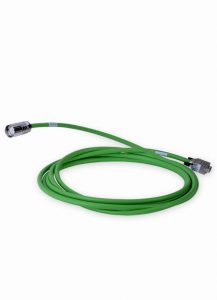
Start by checking the encoder cable and connectors, verifying the encoder’s power supply, and confirming that the feedback type and configuration match the drive settings.
Cable length and electrical noise can also affect feedback signals. Long encoder cables can introduce voltage drop, while nearby power cables can introduce unwanted electrical interference. KEB has documented cable length, voltage drop, noise, and signal issues as potential causes of encoder problems.
If the fault is intermittent, note when it occurs. A problem that appears only at certain speeds or during specific machine movements can help narrow down the cause.
8. Communication Fault
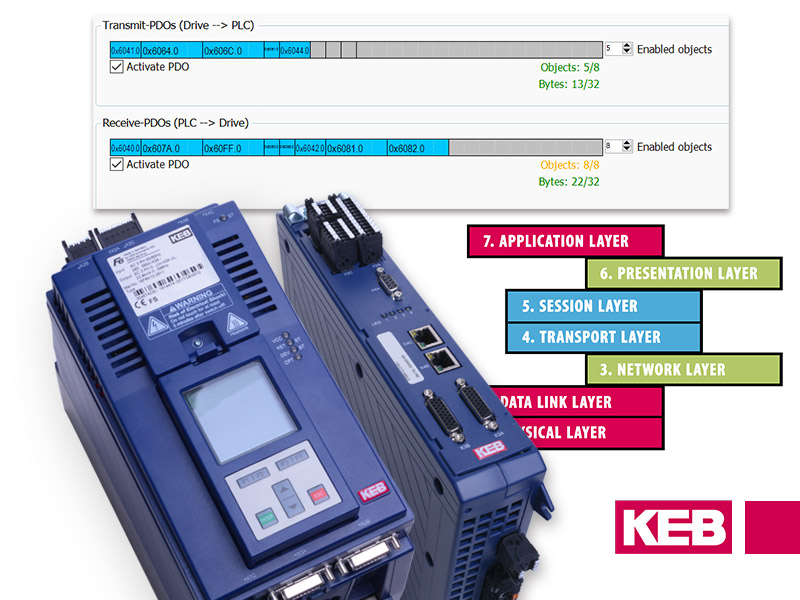
Modern VFDs frequently communicate with PLCs and other automation components over industrial networks. A communication fault or loss of communication means the expected exchange of information between devices has been interrupted or is not occurring correctly.
Start with the physical network connection. Inspect communication cables, connectors, switches, and other network hardware. Then verify the drive’s communication settings, including the selected protocol, device address, and other network-specific parameters.
Determine whether the problem affects one drive or multiple devices. If several devices lose communication at the same time, the issue may be higher in the network rather than isolated to one VFD.

9. Input Phase Loss
A missing or significantly imbalanced input phase can cause a VFD to detect an abnormal power condition. Phase problems may result from a failed fuse, loose connection, damaged wiring, or an issue with the facility’s incoming power.
Check the incoming supply and connections using appropriate electrical testing procedures. Verify that all input phases are present and connections are secure.
If the fault occurs intermittently, look for conditions that cause the power supply to change under load. Tracking when the fault occurs can help determine whether the problem is isolated to the drive or originates elsewhere in the electrical system.
10. Motor Stall
A motor stall occurs when the motor cannot accelerate or maintain the commanded speed because the load is too high or the motor cannot turn as expected.

Check for a mechanical obstruction, excessive load, or a brake that has not released properly. Also verify motor data, acceleration settings, and drive current limits. If the machine has recently changed, consider whether the load or operating conditions have increased beyond what the motor and drive were designed to handle.
Because a stall can lead to other drive faults, identifying what is preventing the motor from reaching or maintaining speed is an important part of troubleshooting.
Troubleshooting Beyond the Fault Code
A VFD fault is often a symptom of a larger issue rather than a problem with the drive itself. Starting with the fault code and when it occurs can help narrow the possibilities, whether the cause is related to incoming power, the motor, mechanical load, feedback, or communication.
Taking a systematic approach can help identify the underlying cause instead of simply resetting the drive and returning the machine to operation. If a fault persists after the basic checks outlined above in this VFD troubleshooting guide, KEB’s technical support team can help evaluate the issue and determine the next steps for the application.
Related Articles


Let's Work Together
Connect with us today to learn more about our industrial automation solutions and how to commission them for your application.
"*" indicates required fields